
Wiki / WordPress and CMS
Warning: WordPress username is disclosed
WordPress turns /?author=1 into /author/<slug>/, and by default the slug is the login name of user number 1, usually the administrator. It is a small leak, not a break-in: an attacker still needs the password, but now only the password.
What it does not mean. It does not mean the password is weak or that someone has logged in. The WordPress project does not treat usernames as secret; a strong password and two-factor sign-in stop guessing, a hidden name does not.
- In our report
- Warning (yellow); category “Publicly accessible sensitive paths”, weight 2.0 (the highest)
- Time to fix
- 5–15 minutes
- Can it break things
- Yes: author archive addresses change or disappear
How to fix it
A rule against ?author= closes one door. On a test WordPress 7.1.4 with the default theme the same slug showed in four more places (table below). Changing the slug closes all of them at once, so it comes first.
Change the slug (WP-CLI 2.12.0, tested on WordPress 7.1.4)
wp user list --fields=ID,user_login,user_nicename,display_name
wp user update 1 --user_nicename=redakcija --display_name="Redakcija"The login name stays the same and keeps working; only the public slug and display name change. Afterwards /?author=1 led to /author/redakcija/ and the old /author/jonas-admin/ returned 404. The dashboard lets you change only the display name; it has no field for the slug.
WordPress (tested on 7.1.4, PHP 8.4), file wp-content/mu-plugins/block-author-scan.php
<?php
add_action( 'template_redirect', function () {
    if ( isset( $_GET['author'] ) && ! is_admin() ) {
        global $wp_query;
        $wp_query->set_404();
        status_header( 404 );
        nocache_headers();
    }
}, 1 );Returned 404 for /?author=1, /?author=2, /index.php?author=1 (after a redirect) and the encoded form /?%61uthor=1; /wp-admin/edit.php?author=1 kept filtering posts and /author/<slug>/ pages kept working.
nginx (tested on 1.26.3), in the `server` block
if ($request_uri ~* "^/(?!wp-admin/)[^?]*\?(.*&)?author=\d") {
    return 404;
}404: /?author=1, /index.php?author=1, /?foo=1&author=3. 200: /, /?s=author, /?author_name=x, /wp-admin/edit.php?author=1. It misses the encoded form /?%61uthor=1, which WordPress accepts; the PHP snippet catches it.
Apache (tested on 2.4.59), .htaccess above `# BEGIN WordPress`
RewriteEngine On
RewriteCond %{REQUEST_URI} !^/wp-admin/
RewriteCond %{QUERY_STRING} (^|&)author=\d [NC]
RewriteRule ^ - [R=404,L]Same results and the same gap with %61uthor. The one-liner RedirectMatch 403 ^/\?author=\d did nothing in our test: RedirectMatch sees only the path, not the query string.
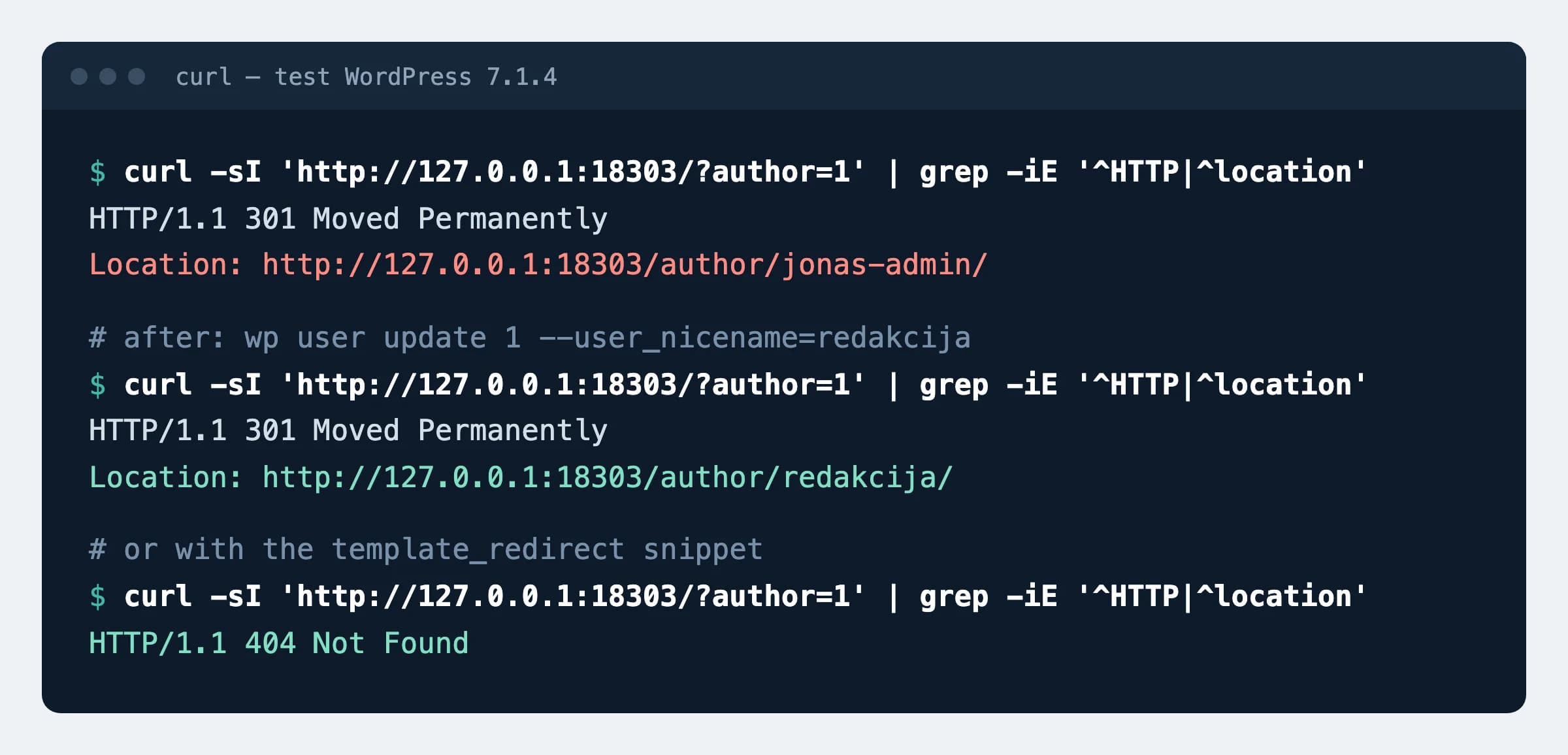
template_redirect snippet. The user is made up.How to check
curl -sI "https://example.com/?author=1" | grep -iE "^HTTP|^location"Expected
HTTP/2 404If you changed the slug instead: 301 and location: …/author/redakcija/. As long as the location line shows a login name, the report line stays.
What can break
- Changing the slug changes the address of the author archive: old links to
/author/<name>/return 404. A redirect from the old address would reveal the login again. - On a site with plain permalinks, author archives are
/?author=Nthemselves: there the rules and the PHP snippet would switch them off entirely.
Possible values
Where the login name showed on a test WordPress 7.1.4, and which fix closes each place.
| Place | Rule or PHP snippet against `?author=` | Changed slug |
|---|---|---|
/?author=1 redirect | Closed | Shows the new slug |
Author link under a post (/author/jonas-admin/) | No | Closed |
/wp-sitemap-users-1.xml | No | Closed |
oEmbed response (author_url, author_name) | No | Closed |
/wp-json/wp/v2/users | No | Closed |
Sources
- WordPress security team: why usernames are not treated as secret
- WP-CLI documentation: wp user update (user_nicename, display_name)
- WordPress developer documentation: template_redirect action
- WordPress developer documentation: WP_Query::set_404()
- nginx documentation: if
- Apache documentation: mod_rewrite, RewriteCond
- Apache documentation: RedirectMatch matches the path only
Changes
- Page published; WP-CLI command and PHP snippet tested on WordPress 7.1.4, nginx and Apache rules on a test server.