
Wiki / Exposed files
Risk: Publicly accessible
These are three forgotten files that show the inside of the server. phpinfo.php lists exact software versions, paths on disk and environment variables, sometimes with passwords: delete it today. .DS_Store gives away the file names of a folder and .htaccess shows your server rules: neither is urgent, and both are fixed in 5 minutes.
What it does not mean. None of these files means the site has been broken into. A readable .htaccess usually shows that the site runs on nginx, which does not use this file and serves it as plain text.
- In our report
phpinfo.php: risk (red);.DS_Storeand.htaccess: warning (yellow). The highest category weight, 2.0- Time to fix
- 5 minutes
- Can it break things
- No: visitors need none of these files
How to fix it
phpinfo: find every copy and delete it
grep -rl "phpinfo()" --include="*.php" .The same page often sits under another name (info.php, test.php) that our check does not try. Run in the site folder, the command finds them all; delete them. If you need the information again, create the file and delete it the same day.
.DS_Store: delete in every folder
find . -name .DS_Store -print -deleteOn the test server the command removed the files in subfolders too. They return if you upload the site from a Mac as a whole folder: exclude them from the upload.
nginx (tested on 1.26.3)
location ~ /\.(?!well-known/) {
    return 404;
}nginx does not use .htaccess files, so it serves them like any other file: on the test server both /.htaccess and /.DS_Store answered 200, and 404 after the rule. The /.well-known/ path, used to renew certificates, stayed reachable.
Apache (tested on 2.4.59, also works in .htaccess)
<Files ".ht*">
    Require all denied
</Files>
RedirectMatch 404 "/\.(?!well-known/)"The first block ships in the httpd.conf distributed with Apache, but it is not built into the program: on the test server /.htaccess answered 200 without it and 403 with it. A configuration written from scratch may lack it. The second line (needs mod_alias) closes .DS_Store and other files whose names start with a dot.
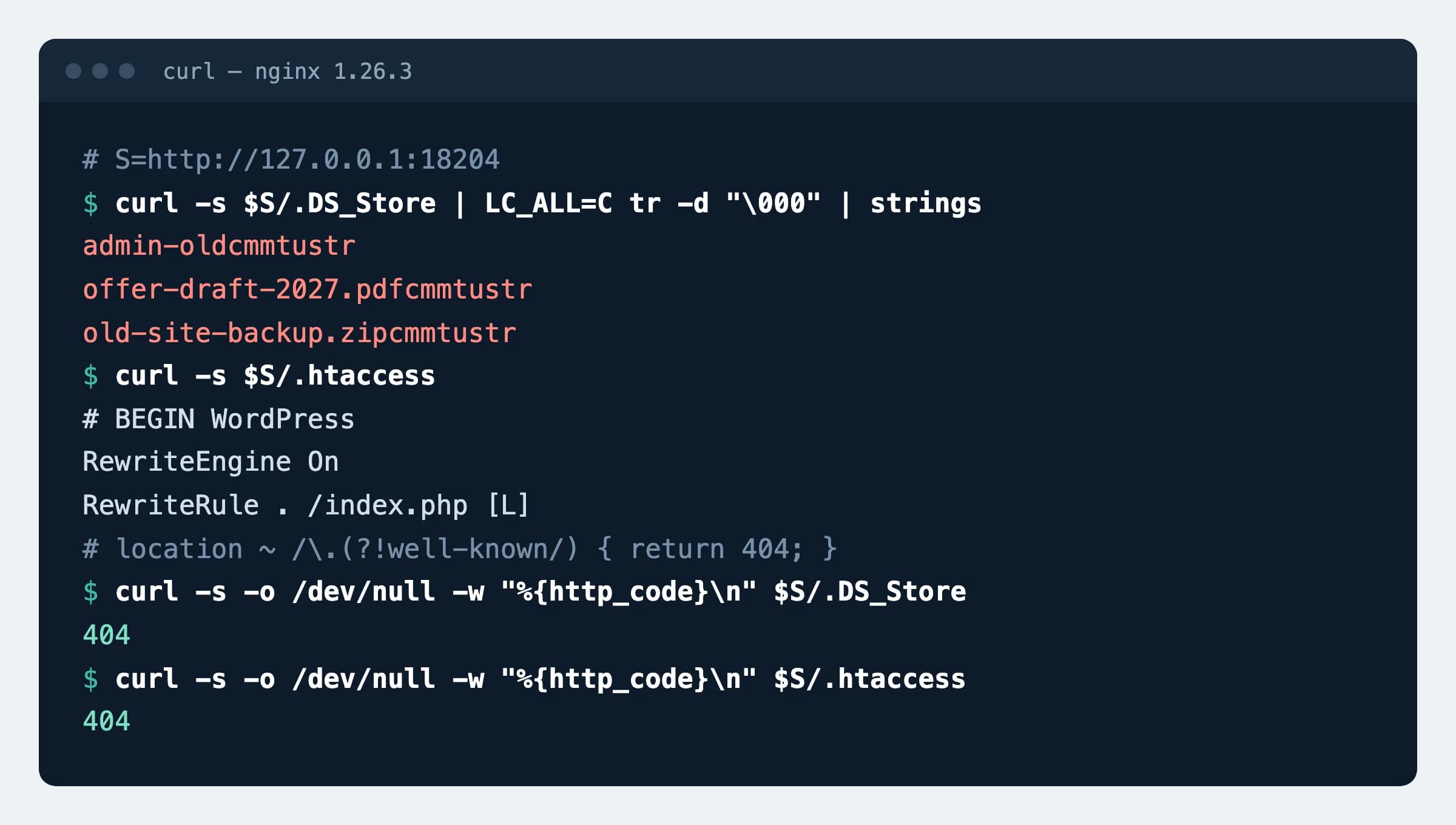
.DS_Store with three file names and a WordPress .htaccess before the rule, both after it.How to check
curl -s https://example.com/phpinfo.php | grep -c "PHP Version"Expected
0This checks the content, not the status code: some servers answer 200 with the home page for an address that does not exist. For the other two files use curl -s -o /dev/null -w "%{http_code}\n" https://example.com/.DS_Store: expect 404 (403 for .htaccess on Apache).
Possible values
What each file revealed on our test server.
| File | What a visitor saw | What to do |
|---|---|---|
phpinfo.php | The exact PHP version (8.4.14), the location of php.ini, the full path of the script on disk, 68 sections with module versions (OpenSSL among them) and every environment variable of the process with its value | Delete |
.DS_Store | The file left by the macOS Finder held the names of the folder's files and subfolders, including old-site-backup.zip and admin-old, which were linked from nowhere | Delete and stop uploading |
.htaccess | All rewrite rules and the paths you tried to hide | Apache: restore the standard block; nginx: close with a rule |
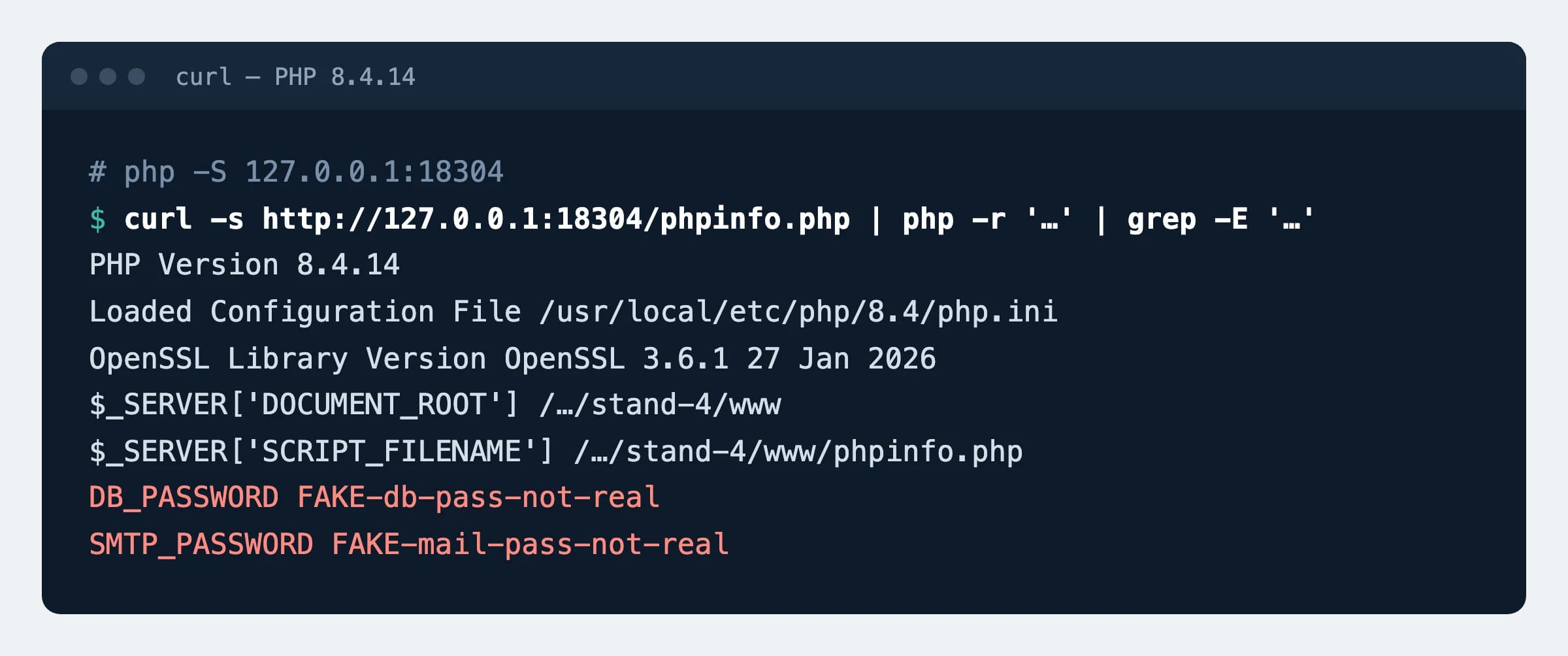
phpinfo.php printed on a test server running PHP 8.4.14. The passwords in the environment variables are made up; the path is shortened.Our data
98
of 73,386 inspected .lt websites (0.13%) show a phpinfo.php page. Another 49 (0.07%) serve a .DS_Store file. Dataset, 16 November 2026
Sources
- PHP documentation: phpinfo()
- Apache HTTP Server: distributed httpd.conf (the Files ".ht*" block)
- Apache documentation: .htaccess files
- nginx documentation: location
- AGuard: security dataset of Lithuanian websites, DOI 10.5281/zenodo.24282573
Changes
- Page published; all three files and the rules tested on a test server.