
Wiki / Exposed files
Risk: Publicly accessible
A copy of the whole database sits in the site folder, and anyone who guesses the file name can download it. It holds customer contacts, orders and the password hashes of users. Move the file out today; if it contains personal data, the incident may have to be reported to the supervisory authority.
What it does not mean. A clean result on this line does not mean there are no copies: we try only two names, backup.sql and dump.sql. Look for db.sql.gz or site.zip yourself with the command below.
- In our report
- Risk (red), the highest category weight, 2.0
- Time to fix
- 5 minutes to move the file; 10 more for the rule
- Can it break things
- Moving the file: no. The rule can block archives that visitors are meant to download
How to fix it
First: move it out of the site folder
mkdir -p ../backups && mv backup.sql dump.sql ../backups/ && chmod 600 ../backups/*.sqlOn the test server, once the files sat one level above the web root, the answer was 404. Better still, keep backups on another server or in storage: if the site is broken into, a copy on the same disk will not help.
Find the other copies
find . -type f \( -name "*.sql" -o -name "*.sql.gz" -o -name "*.zip" -o -name "*.tar.gz" -o -name "*.tgz" \)Run it in the site folder. The list will include legitimate files (plugin archives, documents meant for visitors): move out only the backups.
nginx (tested on 1.26.3)
location ^~ /downloads/ { }
location ~* \.(sql|gz|tgz|zip|tar|bz2|7z|rar)$ {
    return 404;
}On the test server the response for backup.sql, dump.sql, backup.sql.gz, site.tar.gz and site.zip changed from 200 to 404, while /downloads/catalog.zip stayed at 200. The first line is an exception for a folder of legitimate downloads: replace the path with yours or delete the line. Put the second block above other regular-expression location blocks: when a static-files block listing zip came first on the test server, the archive stayed open.
Apache (tested on 2.4.59, also works in .htaccess)
RedirectMatch 404 "(?i)^/(?!downloads/).*\.(sql|gz|tgz|zip|tar|bz2|7z|rar)$"Needs mod_alias. The /downloads/ exception is written into the rule itself; same result on the test server as with nginx.
After moving: was the file downloaded
grep -E '\.(sql|gz|zip|tar)[? ][^"]*" 200 ' /var/log/nginx/access.logThe command lists successful downloads of such files; the log path on your server may differ. If the copy held personal data and outsiders downloaded it, this may be a personal data breach that may have to be reported to the supervisory authority within 72 hours (in Lithuania, the State Data Protection Inspectorate). This is not legal advice: ask your data protection officer or lawyer. Change the administrator passwords in any case.
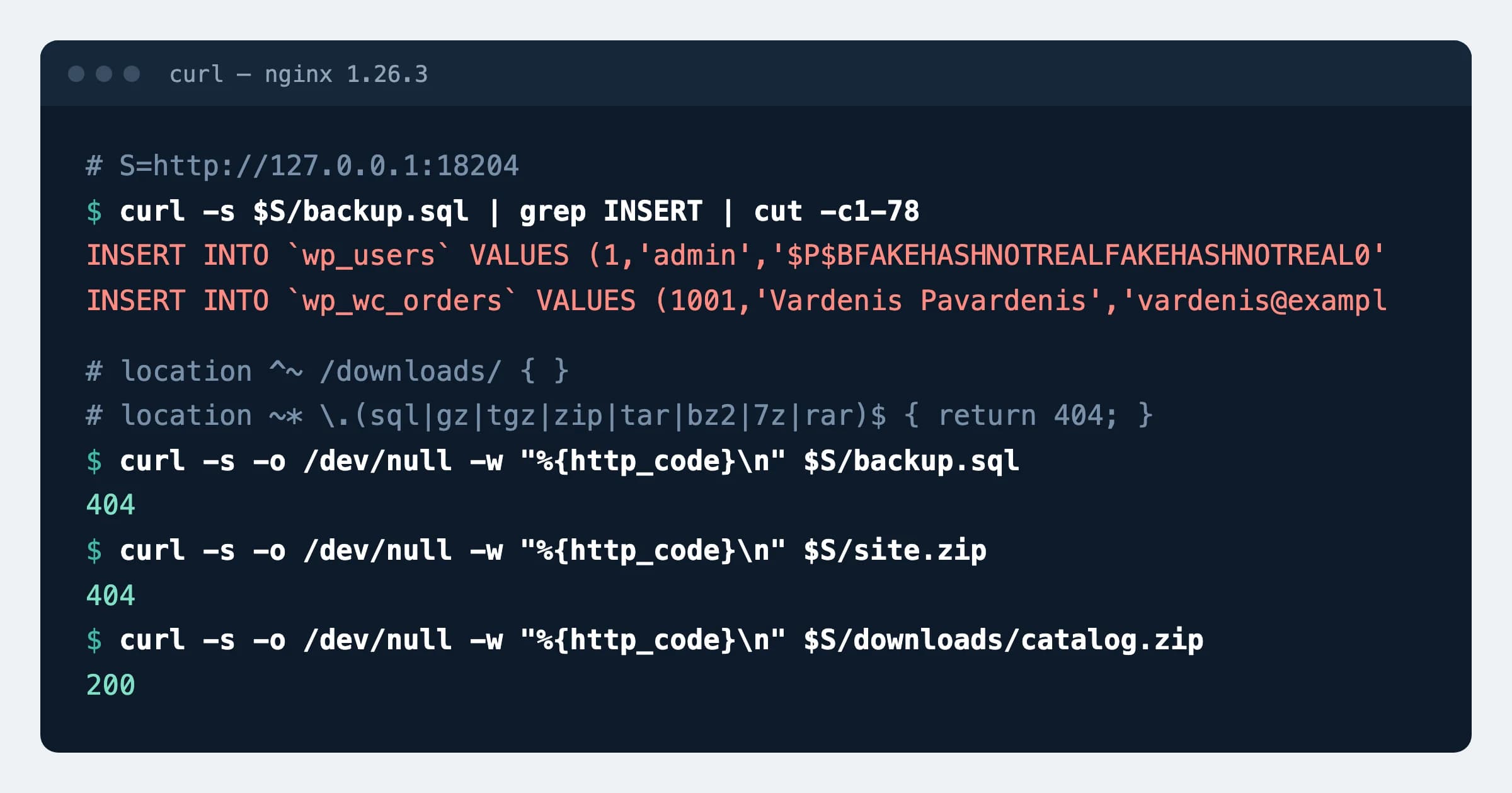
How to check
curl -s -o /dev/null -w "%{http_code}\n" https://example.com/backup.sqlExpected
404Repeat with /dump.sql and with every file find listed. Then test a legitimate download: it must answer 200.
What can break
- The rule answers 404 for every
.zip,.gz,.tar,.7zor.rarfile you offer to visitors (a catalogue, a price list, a software archive) until you add an exception for its folder. - In nginx, other regular-expression rules do not apply inside the excepted folder (
^~) either, for example a ban on serving files whose names start with a dot. - If a backup plugin or script writes its archives into the site folder, they will come back: change the destination in its settings.
Our data
158
of 73,386 inspected .lt websites (0.22%) let anyone download a backup: a database dump or an archive of the site. Dataset, 16 November 2026
Sources
- nginx documentation: location (matching order, ^~)
- Apache documentation: RedirectMatch
- State Data Protection Inspectorate of Lithuania: reporting a personal data breach (in Lithuanian)
- AGuard: security dataset of Lithuanian websites, DOI 10.5281/zenodo.24282573
Changes
- Page published; nginx and Apache rules tested on a test server.