
Wiki / Email
Info: Mail server (MX)
The domain does not say which server accepts its mail. If you receive no mail on this domain, that is a tidy state, though worth declaring explicitly (a null MX). If you do expect mail, it is an urgent fault: messages are not reaching you.
What it does not mean. It does not mean senders get an immediate “no such address”. With no MX, RFC 5321 makes the sending server try the address in the domain's A record, which is your web server. That is exactly why the null MX exists. A line that shows a server name is not a finding but information: we show the name, the provider, and whether mail shares an IP address with the website.
- In our report
- Info (grey), not counted in the score; warning (yellow) when the MX points to a CNAME or an IP address. Category weight 0.8 of 2.0
- Time to fix
- 5 minutes in the DNS panel
- Can it break things
- Yes: a wrong MX stops all incoming mail
How to fix it
An MX record has two parts: a preference number and a server name. The name must have an A or AAAA record. If the MX points to a CNAME or an IP address, this line in the report turns into a warning.
Your own mail server
@      MX   10 mail.example.com.
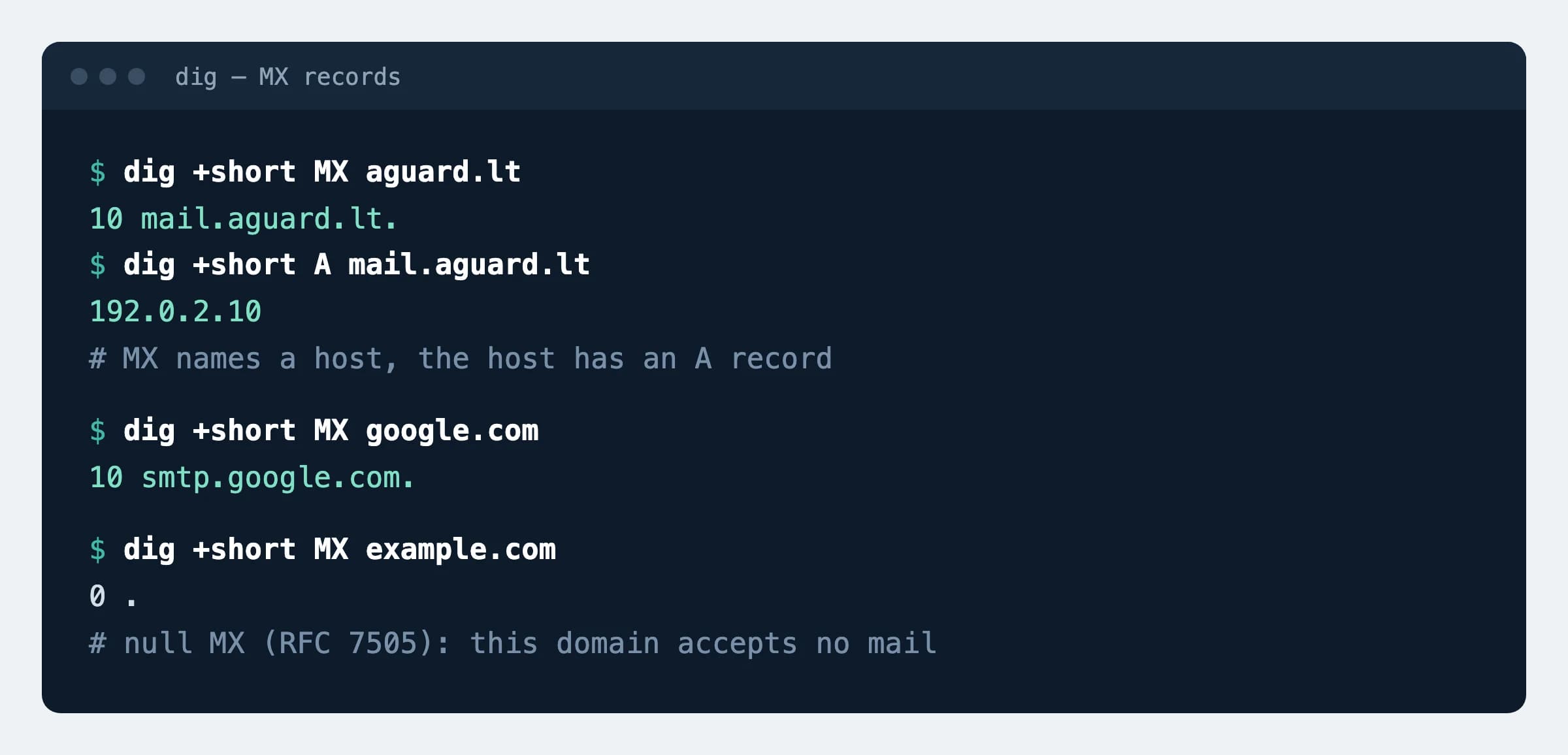
mail A 192.0.2.10This is how aguard.lt is set up: 10 mail.aguard.lt. and an A record for that name. In a zone file the name ends with a dot; DNS panels usually add it themselves.
Google Workspace (value from Google's documentation)
@ MX 1 smtp.google.com.A single record; remove any other MX. Older records starting with aspmx are still supported. The Microsoft 365 value differs per domain: copy it from the admin center.
A domain that accepts no mail (null MX)
@   MX    0 .
@ TXT "v=spf1 -all"RFC 7505. The sender gets error 556 5.1.10 at once instead of retrying for days. example.com publishes both records this way.
How to check
dig +short MX aguard.ltExpected
10 mail.aguard.lt.Then check the name: dig +short A mail.aguard.lt must return an IP address and dig +short CNAME mail.aguard.lt nothing. The answer 0 . is a null MX.
What can break
- Change the MX before the mailboxes exist at the new place, and messages bounce back to senders.
- A null MX on a domain you still send from: RFC 7505 warns that receivers may reject such mail, because it cannot be answered.
- When mail and the website share one IP address (our line says so), a website break-in ruins the mail reputation too: blocklists list the IP address, not the domain.
Possible values
Rules from RFC 5321 section 5.1, RFC 2181 section 10.3 and RFC 7505.
| MX value | What happens | Verdict |
|---|---|---|
10 mail.example.com. | A name with an A or AAAA record | Correct |
0 . | The domain declares it accepts no mail | Correct if it is the only MX and you send nothing from the domain |
| No MX | Senders try the address in the domain's A record | Temporary at best; publish an MX or a null MX |
| The name is a CNAME | The standard leaves this case undefined | Forbidden: RFC 2181, RFC 5321 |
10 192.0.2.10 | An IP address in place of the name | Invalid: the value must be a domain name |
| Several MX, different numbers | The lowest number is tried first | A backup server needs the same care as the main one |
| Several MX, equal numbers | The sender picks at random | For spreading load |
| A single MX | If it is down, senders keep retrying for at least 4–5 days | Enough for a small domain |
Sources
- RFC 5321: SMTP, section 5.1 (MX lookup, preferences)
- RFC 2181, section 10.3: MX must not point to a CNAME
- RFC 7505: the null MX record, 2015
- Google: MX records for Google Workspace
Changes
- Page published; rules checked against RFC 5321, RFC 2181 and RFC 7505.